PitchTrack/Help Center/Read overview and click report correctly
Back to Help Center
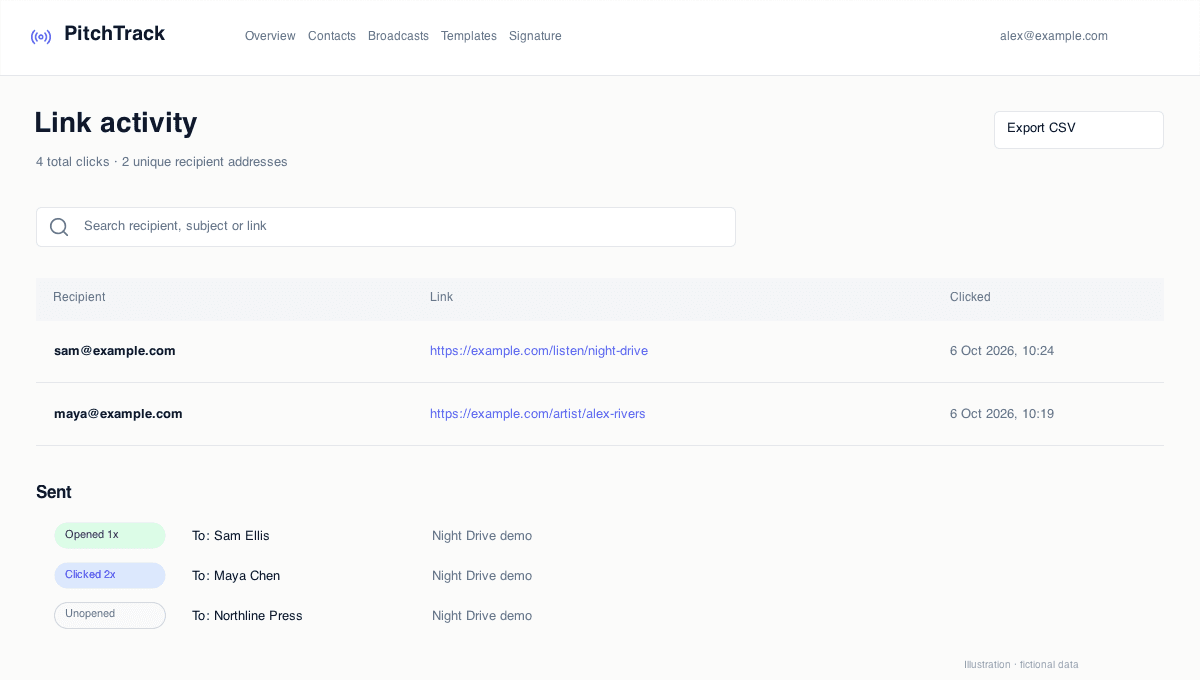
Tracking and Reports

Read overview and click report correctly

Use report data to take the right next action.

Who this is for

  • Users with data on screen but unsure what to do next.
  • Teams that need a daily follow-up routine.
  • Managers who want clear decision rules for campaigns.

Before you start

  • Define 3 states: no open, open/no click, click/no reply.
  • Pick one person who reviews reports each day.
  • Decide your follow-up speed targets for each state.

Step-by-step workflow

  1. Open Overview for quick campaign health and recent activity.
  2. Open Click Report to see who showed strongest intent.
  3. Prioritize follow-ups for clickers first.
  4. Rework message angle for open/no-click recipients.

How to verify success

  • Your team has a clear daily follow-up list.
  • Clickers are contacted faster than open-only contacts.
  • No-click groups are reviewed, not ignored.

Common mistakes / troubleshooting

  • If team disagrees on priority, write one simple decision matrix.
  • If follow-up is slow, assign one owner and deadline each day.
  • If reports feel confusing, reduce campaign variables and retest.

What to do next

  • Use this process after every broadcast.
  • Log what changed and what worked each week.