PitchTrack/Help Center/First tracked email checklist
Back to Help Center
Start Here

First tracked email checklist

Send one test email and confirm open/click tracking works.

Who this is for

  • Users testing setup before sending real campaigns.
  • Teams creating a repeatable health-check process.
  • Anyone unsure whether tracking is working correctly.

Before you start

  • Use a test inbox you control (for example another personal Gmail).
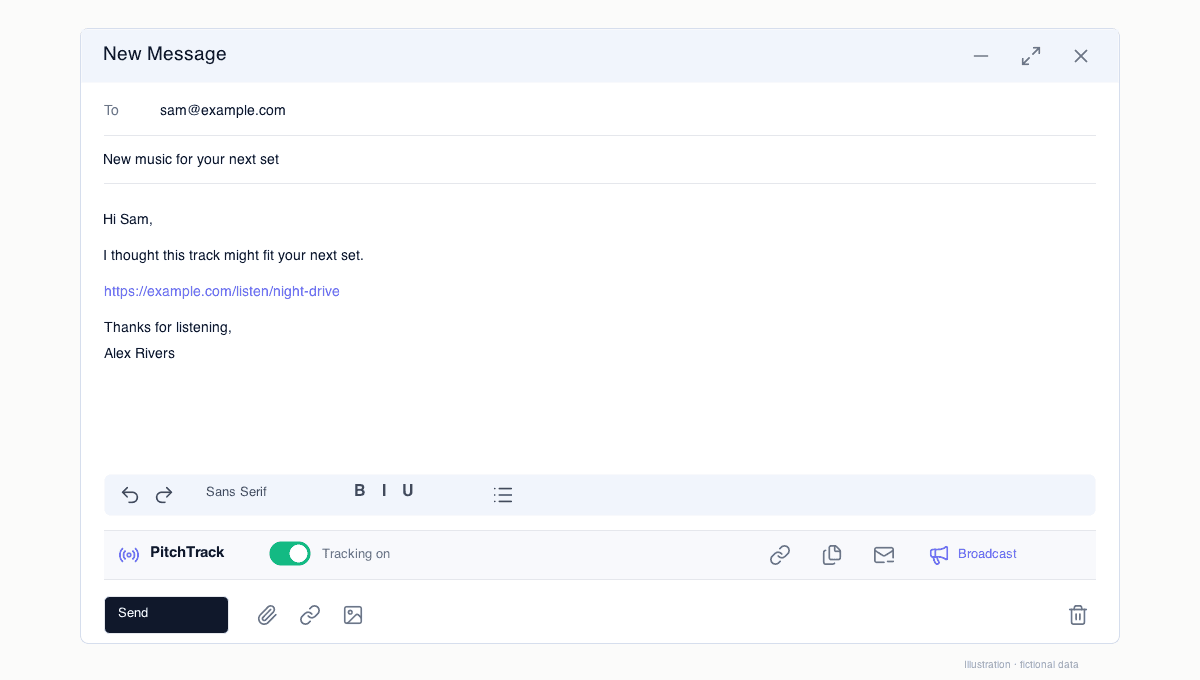
  • Write a short test message with one clear link.
  • Make sure tracking is turned on before sending.

Step-by-step workflow

  1. Create a new email in Gmail and enable tracking.
  2. Insert one tracked link and send to your test inbox.
  3. Open the email in test inbox, load images, and click the link once.
  4. Check results in Overview and Click Report.

How to verify success

  • Open count appears after you open the test email.
  • Click event appears after you click the tracked link.
  • Recipient email and time look correct in the report.

Common mistakes / troubleshooting

  • If open is missing, check if images were blocked by email app.
  • If click is missing, confirm the link was inserted as tracked.
  • If both are missing, reconnect Google and rerun this test.

What to do next

  • Create contact groups in Contacts.
  • Set up templates in Templates before first broadcast.