PitchTrack feature
Email tracking for your music outreach
Send your pitch from Gmail and keep up with what happens next. PitchTrack brings email activity into your Sent folder and dashboard.
Updated
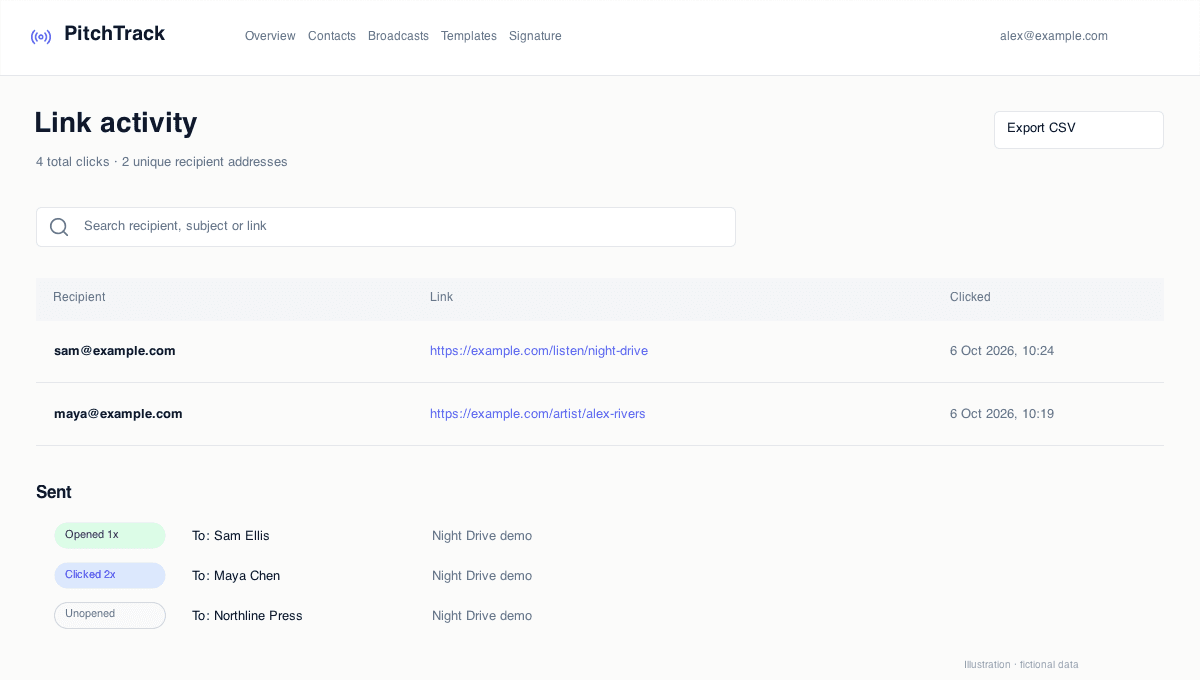
- In Gmail
- Tracking labels in Sent
- In your dashboard
- Email and destination-link activity
- Your choice
- Tracking controls in compose
Less searching through sent emails
Opened, Clicked and Unopened labels sit beside your sent messages, so you can scan activity without opening each conversation. Your dashboard keeps a fuller view when you want the detail.
See which links received activity
On eligible tracked Pro sends, ordinary website links are tracked automatically. Link activity shows the actual destination, not just a tracking code. Filter by date, review individual events or group results by link.
Choose when tracking belongs in a message
Turn tracking on or off from the compose toolbar. Recipient tracking preferences still apply. Your connected PitchTrack account and Gmail account must match.
Questions
Do I need to create a tracked link for every URL?
No. Eligible website links in tracked Pro sends are handled automatically. The Tracked Link tool is there when you want to create one explicitly.
What does an open mean?
It means the tracking image loaded. Email privacy tools and automated checks can affect recorded activity; the tracking guide explains how to read the results.