PitchTrack outreach guide
Music outreach on Instagram and SoundCloud
Someone can be a useful music contact without an email address. Keep their preferred channel and let Direct Outreach handle the repeated message preparation.
By PitchTrack team · Updated
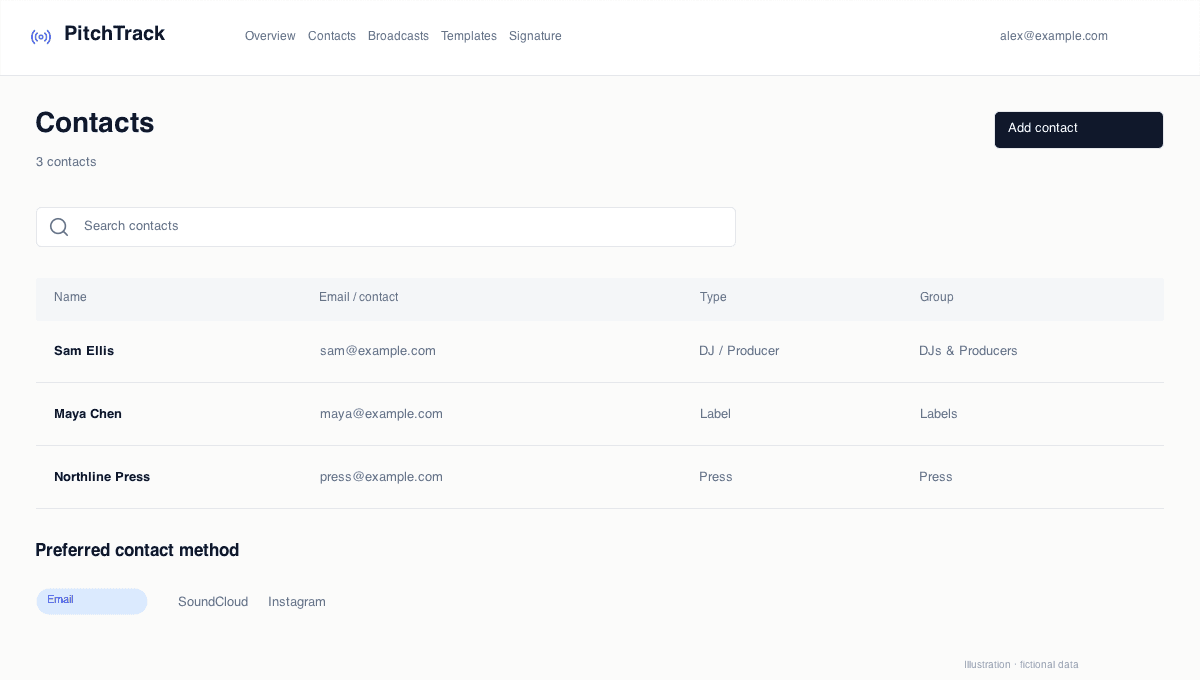
Keep the contact, not just an email field
Save a profile link and preferred contact method in Contacts. Add a note about what they accept and why your music is relevant. A social profile is not permission to send unrelated messages.
Write for the channel
A direct message usually needs less context than a formal email. Use one clear introduction and one relevant link. Check profile instructions; some people ask for submissions through another route.
Fictional example. Adapt the details before sending.
Hi Sam, I am Alex Rivers. I enjoyed your latest set and thought my unreleased track Night Drive might fit. Here is a private listening link: https://example.com/night-drive. Thanks for checking it out.
Let PitchTrack prepare the draft
Choose your contacts in Direct Outreach and prepare the personalised messages. With the extension connected, open the recipient's Instagram or SoundCloud profile and let PitchTrack fill the draft. Check the text and click Send.
Keep social activity separate from email tracking
Direct Outreach helps prepare the message; it does not promise social read receipts or proof that someone played your track. Keep the conversation on the platform and respect its messaging limits.