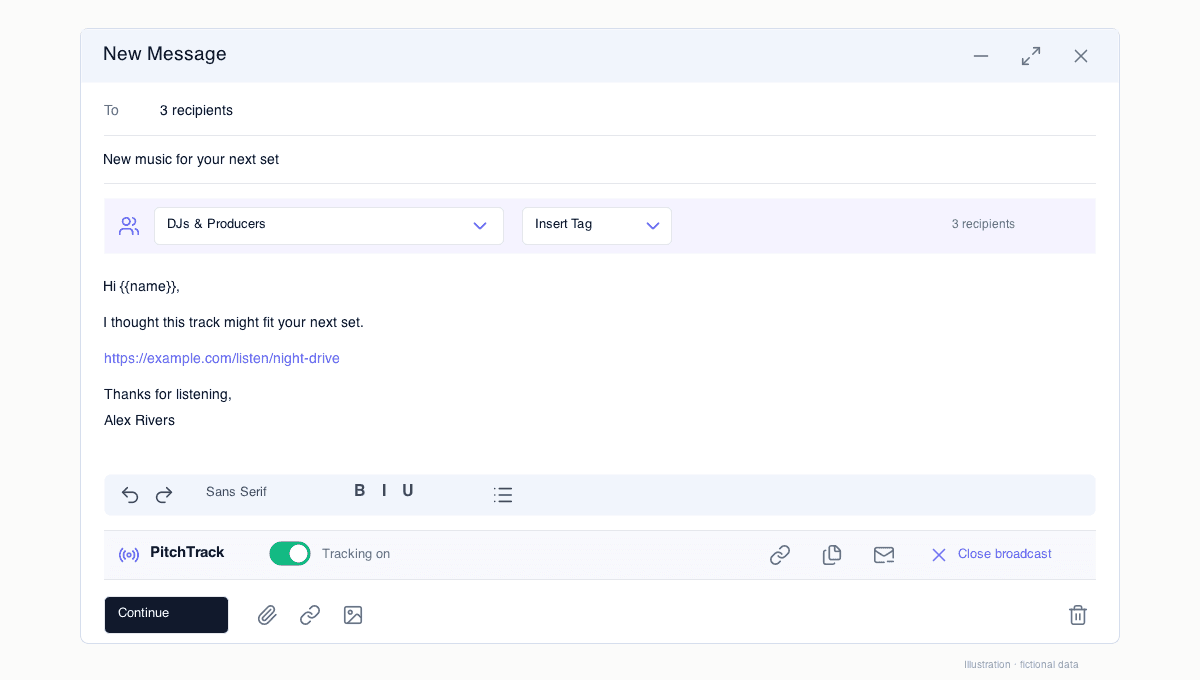
Review the audience
Check the recipient count and list before confirming. Remove unsuitable contacts and respect their preferred contact method. An email address in a spreadsheet is not automatically permission to contact or track someone.
Unsubscribed addresses remain excluded even if a contact record is removed and later imported again.
Read a personalised example
Use Insert Tag only when the underlying contact field is correct. A missing name or stale detail can make a prepared message read badly. Test with a small audience before a larger send.
- Check the subject and message.
- Open each destination link.
- Check the signature and any repeated text.
Decide on the unsubscribe link yourself
The unsubscribe link is a manual compose-toolbar action. PitchTrack does not insert it automatically or block a broadcast simply because it is missing. The sender is still responsible for the opt-out required for the message.
Saved recipient tracking choices apply to broadcasts. Turning on the compose switch does not override a withdrawal or unsubscribe.
Sending slowly is not a delivery guarantee
Sending settings help pace a broadcast. They do not override Google limits, prevent spam classification, or guarantee delivery.
Open Broadcasts to check progress and recipient results. Before retrying anything, check which messages have already been sent so you do not contact the same person twice.
A small test you can repeat
Before a release promo, make a test group containing only inboxes you control. Include one complete contact record and one record with a missing optional name so you can inspect how both messages read.
Check which test recipients were sent successfully before making another test. When the message is ready, select the intended audience afresh rather than leaving the test group selected.
- Check the audience name and recipient count.
- Use the sending confirmation to review the actual draft.
- Keep a note of what you tested before changing settings.
Open the step-by-step guide
Step-by-step setup and troubleshooting guides.
Prepare your next pitch
Keep your contacts, templates and outreach together in PitchTrack.